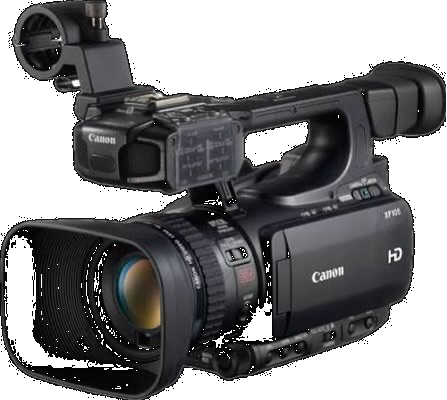
Nine custom picture profiles for the Canon XF105 and XF100, decoded from camera-written .CPF files and grouped by what they're for. Free to download.
The swatches are computed, not photographed. Each tone ramp and colour chip is derived from that profile's real parameter values — gamma curve, master pedestal, knee, matrix gain, R−G — run through an approximate model. They show relative character: which is flatter, which crushes blacks, which pushes colour. They are not a colorimetric render and no substitute for pointing the camera at a face.
Neutral and accurate. No saturation push, detail softened with heavy coring so noise doesn't get sharpened, and a slight red–green correction. Straight ITU 709.
Rich and contrasty with deliberately deep blacks and pushed colour. Cine 1 keeps highlights from clipping while the −10 pedestal drops shadows to genuine black rather than grey.
The pedestal crushes shadow detail permanently — there is very little to recover down there in a grade.
The flattest of the set. Shadows lifted, and highlight compression starts early — knee at 70 instead of 95 — so skies and windows roll off instead of blowing out.
Credit Origin unknown
Normal 2 · pedestal +0 · sharpness -5 · coring +5 · knee 12/70 · matrix Normal 2 · gain +0
Very heavy sharpening and a large colour shift, with early highlight compression.
Not recommended — included so the set is complete.
Credit Origin unknown
Cine 2 · pedestal +0 · sharpness +29 · coring +0 · knee 11/70 · matrix Cine 2 · gain +20 · R−G -22
Credits
These profiles were built by the people credited beside each one, and are collected here so they stay available — most of the original forum and Vimeo links have gone dead.
Alan Roberts tested cameras for BBC R&D and published recommended settings as addenda to White Paper WHP034. BBCNorm3 matches his XF100/105E figures exactly — Addendum 65. His reports are assessments, not endorsements.
Lou Bruno posted OUTSIDE, INSIDE and DEEP CLR on DVinfo.net. Attribution here is confirmed by decoding: their matrix gains of 15, 9 and 23 match his published values.
Forum names.DV Info Net has required members to post under their real names since 2002, so the names credited here are the forum names — there is no separate handle to look up. Alan Roberts published under his own name in the BBC R&D papers.
The rest carry no attribution I could verify. Where a profile says origin unknown, that means exactly that — not that it is unattributed work. If one of these is yours, get in touch and it will be credited.
Download
Each profile is downloadable on its own from the ↓ .CPF link beside its name above, or take all nine at once:
The zip contains all nine profiles: BBCNorm3, OUTSIDE, INSIDE, J.Cine12, HiGAIN, TRU_VID2, DEEP CLR, BBC SET, CINE.F.
Files are 160 bytes each and native to the XF105/XF100. Canon's custom picture files are not compatible with other camera lines.
Loading them onto the camera
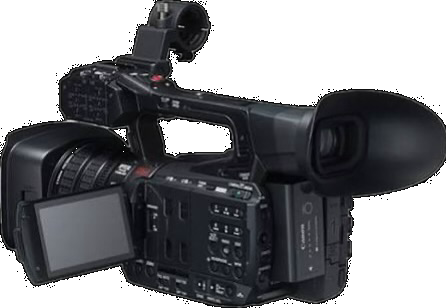
Custom Picture lives in the menu reached from this panel — the SD slot is behind the LCD.
Format an SD card in the camera so the folder structure is correct. Then copy a C_PICT folder to the top level of the card containing the profiles named CPICT01.CPF onwards — the zip has this folder ready to drop on, numbered CPICT01 to CPICT09. The profiles appear under Custom Picture after the nine internal slots.
The camera reads each profile's name from inside the file, not from the filename, so the CPICT numbering only sets their order in the menu. The zip's named/ folder holds the same nine files labelled by profile name for reference on a computer.
A PRESET folder is the Canon XH A1/G1 convention and will not work here. Both camera families use the .CPF extension, which is why the two get confused.
Reading the swatches
The ramp runs black to white through the profile's tone curve — a ramp that starts at pure black crushes shadows; one that starts grey lifts them. Compression at the right end is the knee holding highlights back.
The chips are the same four references through every profile: skin, a red garment, foliage, sky. Compare one chip across rows to see saturation and hue shift.